
How to Set Up a Google Business Profile for Therapists in Canada
12/30/20257 min read
If you have opened this post, chances are, you are a therapist in Canada looking for ways to market your practice and came to know about Google Business Profile.
As you know, GBP is one of the most powerful tools that can change your whole business. Ultimately, it is one of the fastest ways to appear in Google Maps when potential clients search for help.
Yet most practices either ignore it or set it up incorrectly. But you are in the right place because this guide will show you exactly how to set up a Google Business Profile for therapists the right way, step by step, so you can improve your local visibility and increase your brand awareness.
Why Google Business Profile Matters for Therapists in Canada
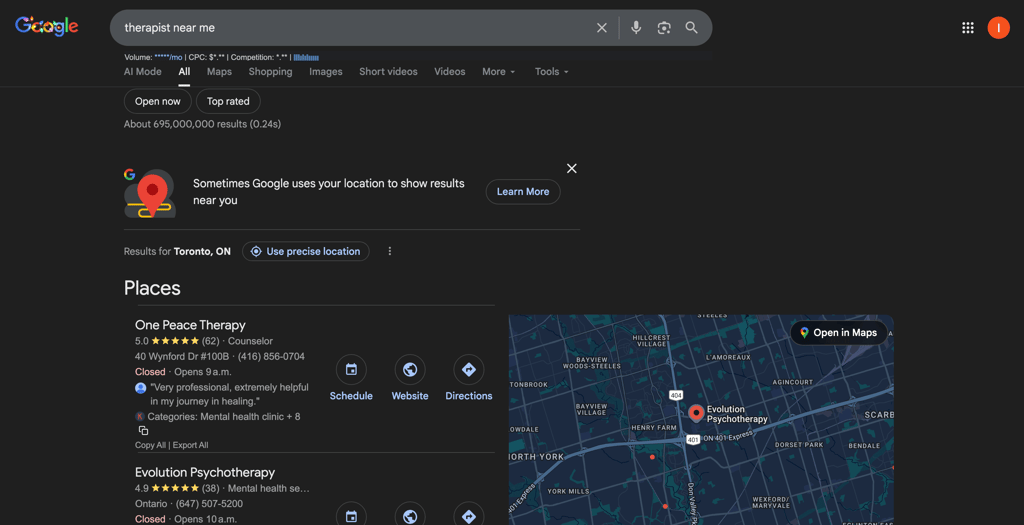
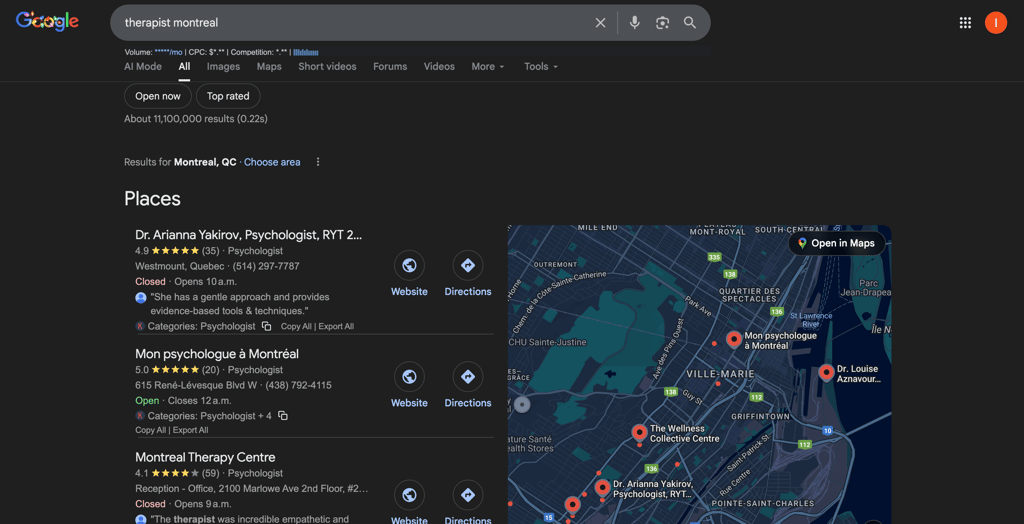
As you can see in the two images above, that when some searches for terms like “therapist near me” or “therapist Montreal" google shows the map listings first instead of websites.
This is what search results looks like as in two images:
A short list of therapists
A map with nearby practices
Reviews, categories, and contact buttons
These results come directly from Google Business Profiles, If you’re not set up correctly or you don't have GBP set up at all here, you simply don’t appear and will loose potentially a really good amount of leads.
For therapists, Google Business Profile works differently than most local businesses:
Clients search by location + trust
Google Maps results get the highest clicks
Reviews and categories influence who feels safe reaching out
Step-by-Step Tutorial
Step 1
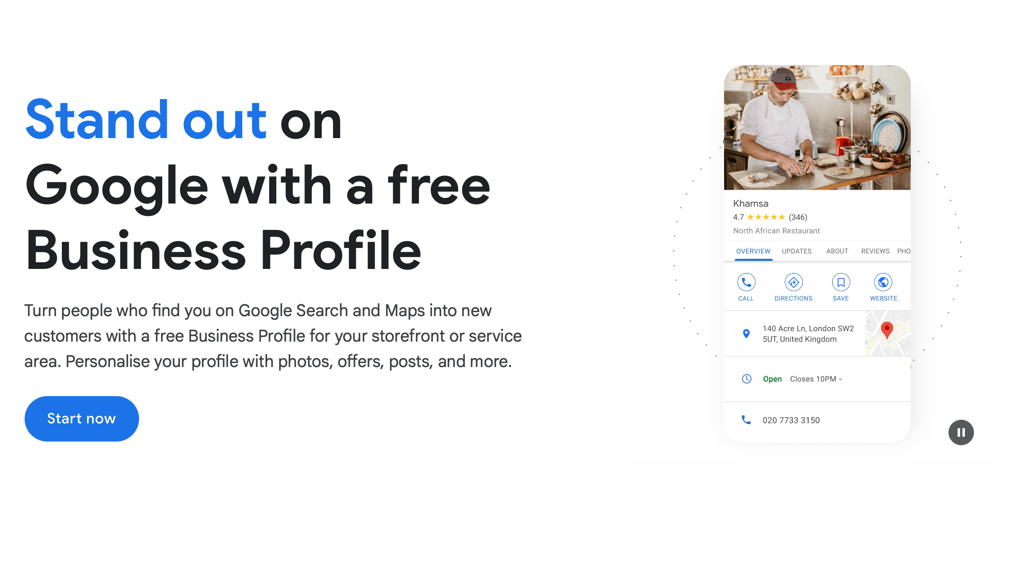
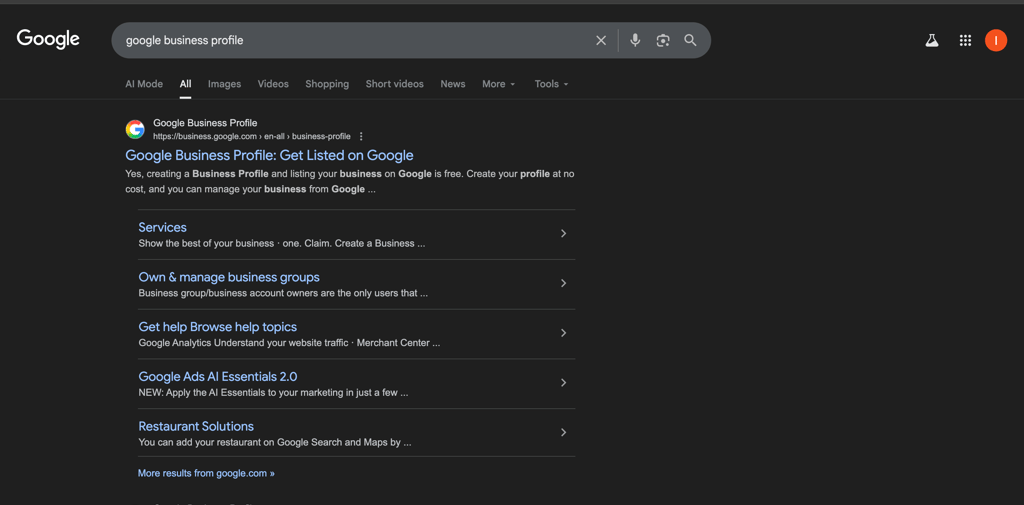
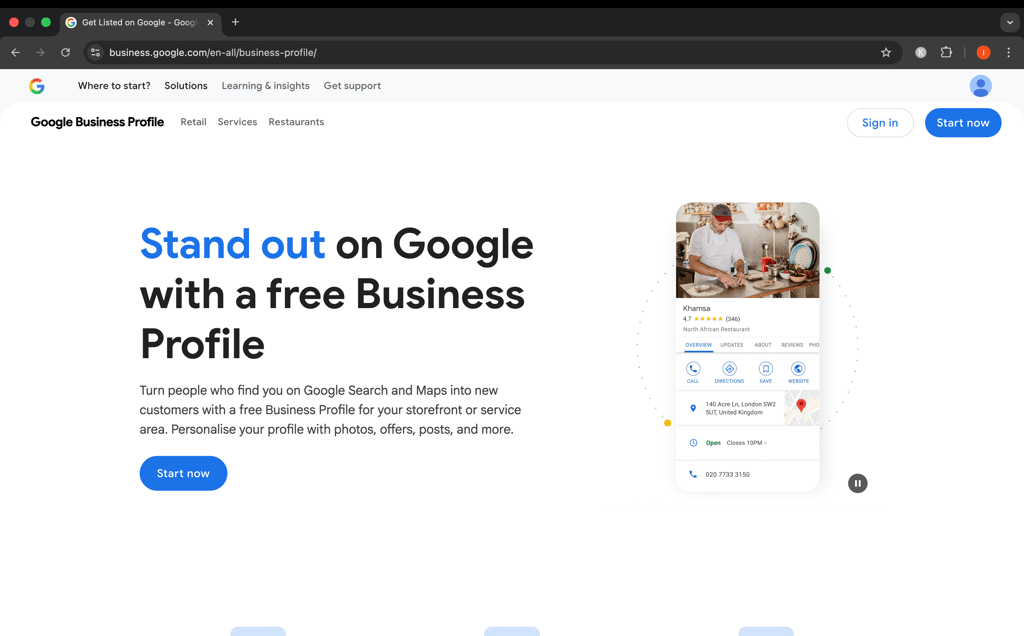
Go to google and search Google business profile and click on 1st link as you can see in image 1.
Click on Start now button, it will ask you to sign in with you email, I recommend use your professional emial to create GBP account in image 2.
Step 4
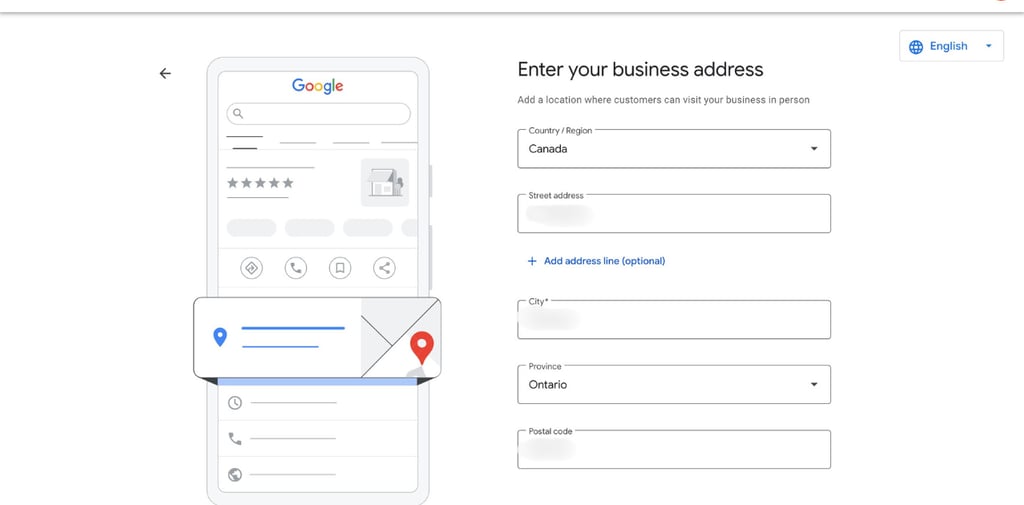
Now this is one of the most important step, you have to fill your address here of your business. If you have a office put its address there, and where ever is your practice so put it correctly.
Most therapists don't want to put there home address for privacy reasons, its totally fine. if you don't want to put your home address then i would recommend you to rent a space and then put its address.
Because you do need a physical address to list on GBP according to the guidelines. So, after filling your address select next.
Step 2
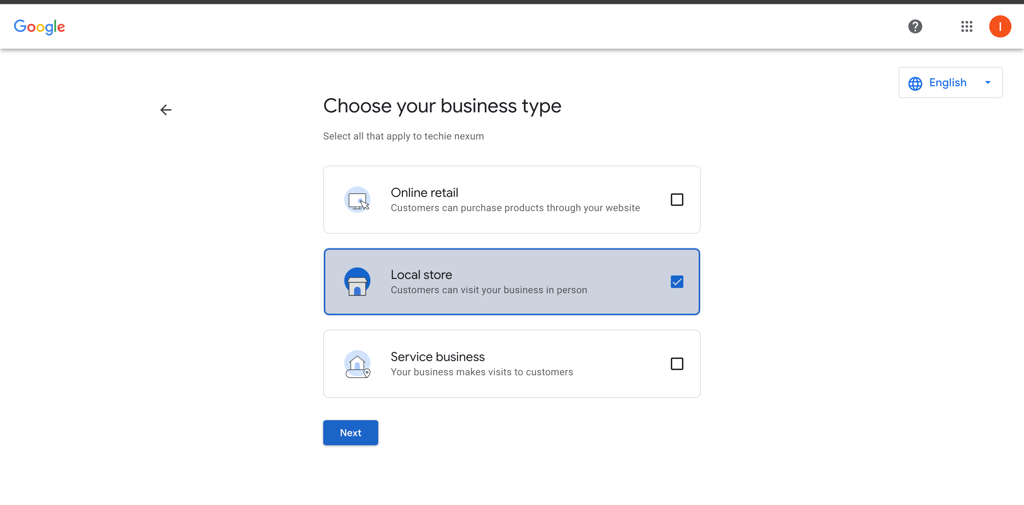
When you will click on start now it will direct to to page as you can see in image above, where it will ask you to select you Business type.
Ok this is a really important setup most therapist/practices do wrong and end banning their account. When choosing type if you are someone who offer in-person on hybrid service then select Local Store and click on next.
Because:
a) Online retail: This is for selling physical or digital products (e.g. clothes, courses, merch) and therapy sessions ≠ retail products.
b) Local store: This when clients come to your office and You have a leased office, clinic, or shared practice space
c) Service business: This is where people make mistakes because it means you go to the customer’s location to provide any service and as a therapist you do not visit clients’ homes. This good only for Plumbers, Cleaners, Electricians.
Step 3
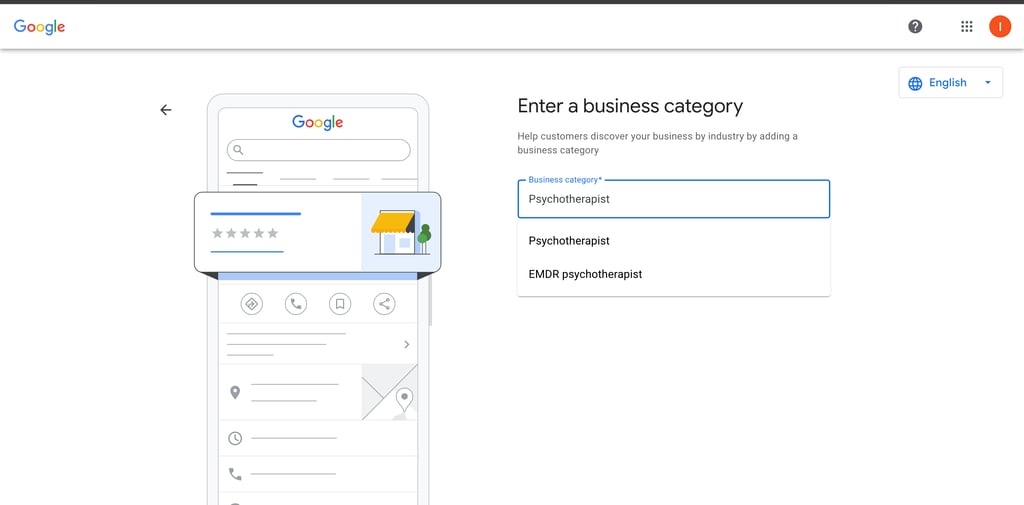
Next step is to choose your business category, as you can see in image above, i have entered 'psychotherapists', because it is safest and most widely accepted primary category for Licensed therapists, Counselors, Mental health professionals, Private practices.
But google gives option to select the exact category so type your exact service eg., family therapists, ADHD specialists remember the more accurate it is the more its easy for google to rank you for right query. After adding your category select next.
Step 5
Here it will show you different businesses from the area you have entered as you can see in image above i have blurred it for privacy reasons.
Select None of these and click on next.
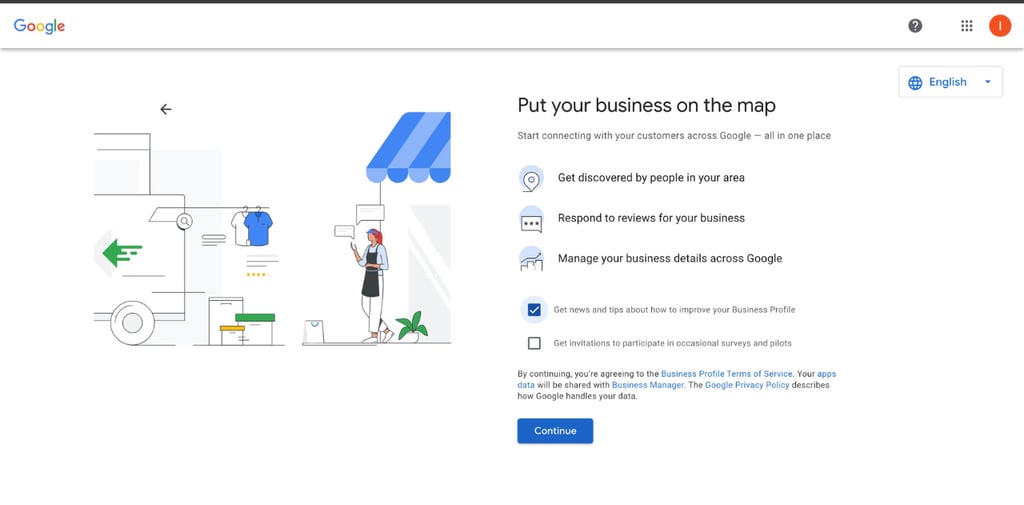
This page ask you if you want receive news and tips to improve your business profile and and get invitation to participate in occasional surveys and pilots. its up to you if you want to enable these or not and after selecting click continue.
Step 6
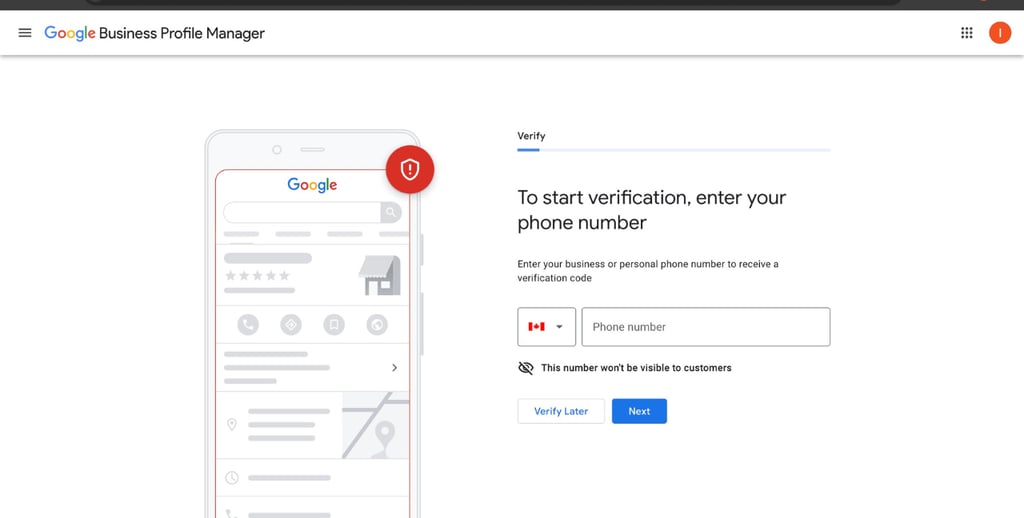
Now it will ask you to verify, it can be done with different methods, as you can see in image it ask for mobile number, you can check official website for more information on this topic.
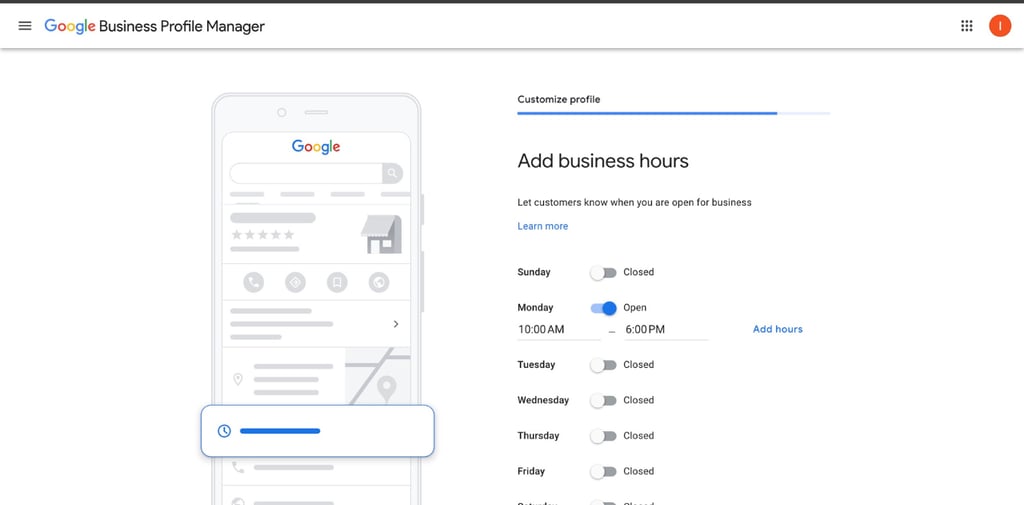
I clicked on verify later since i am doing this for this post only, then set up your business hours.
Step 7
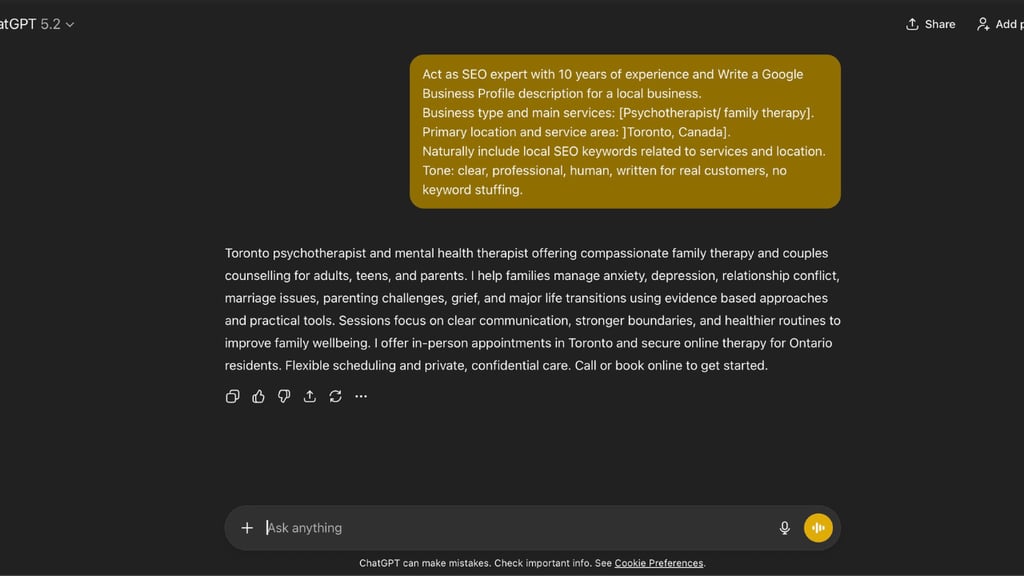
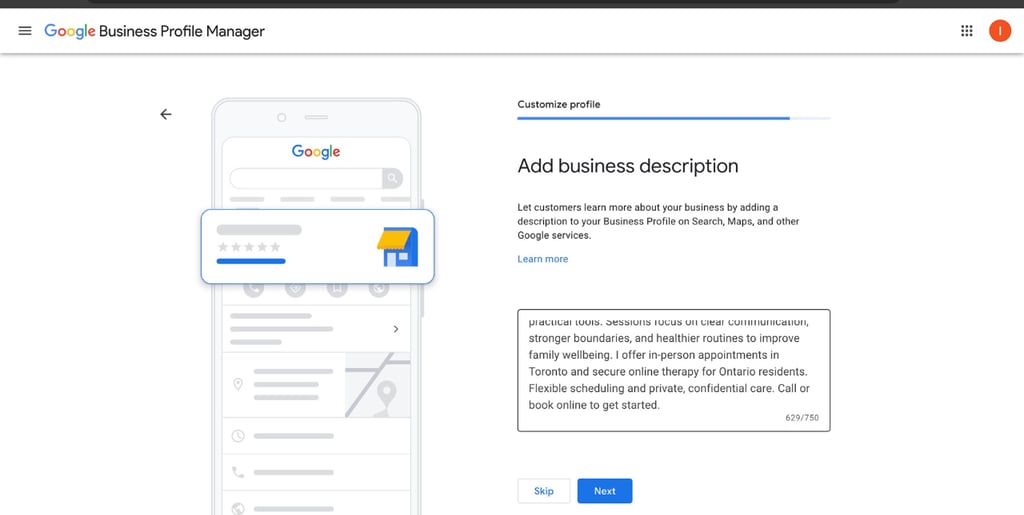
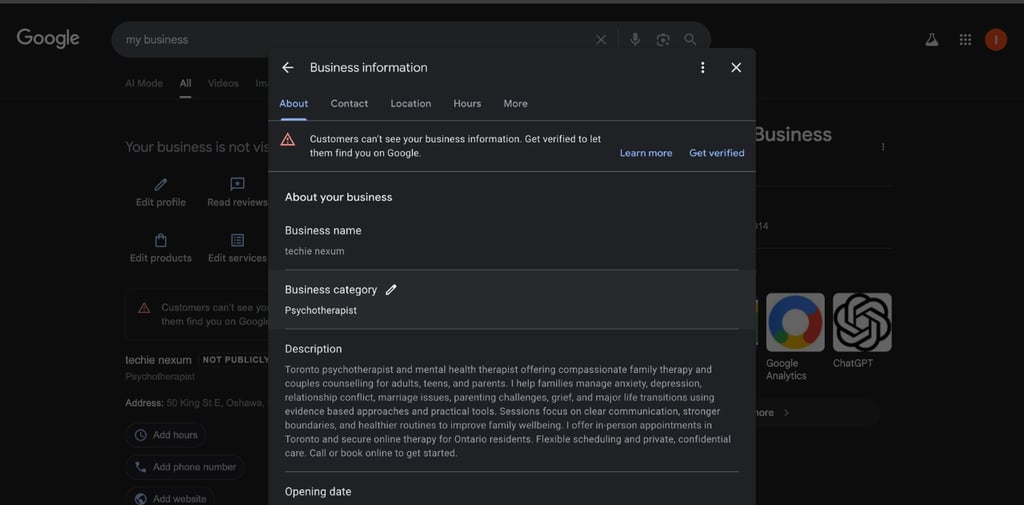
Now you have to add business description to your profile, to make this step easy for you i have made a ChatGPT prompt.
Open ChatGPT and write paste this prompt and fill all the required []:
"Act as SEO expert with 10 years of experience and Write a Google Business Profile description for a local business between 700-750 Characters.
Business type and main services: [add services].
Primary location and service area: [city, area, country].
Naturally include local SEO keywords related to services and location.
Tone: clear, professional, human, written for real customers, no keyword stuffing."
This will provide you with a really good description for your profile, you edit this if you want and then paste it.
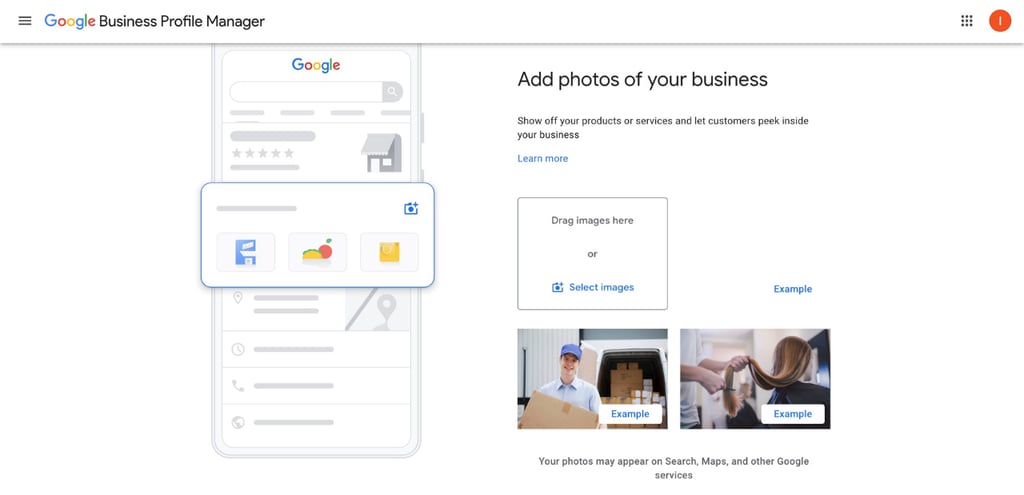
In next step add images of your business, click really good professional images then add here.
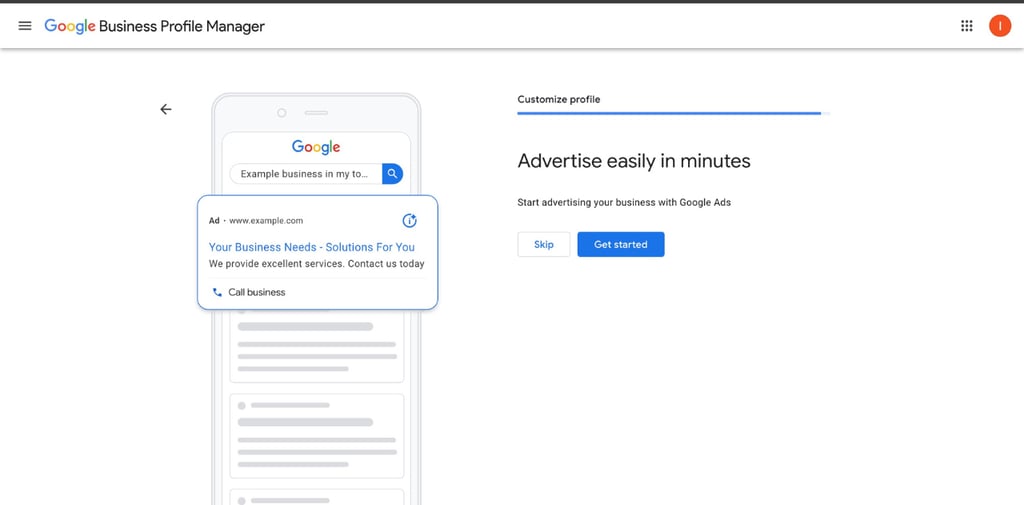
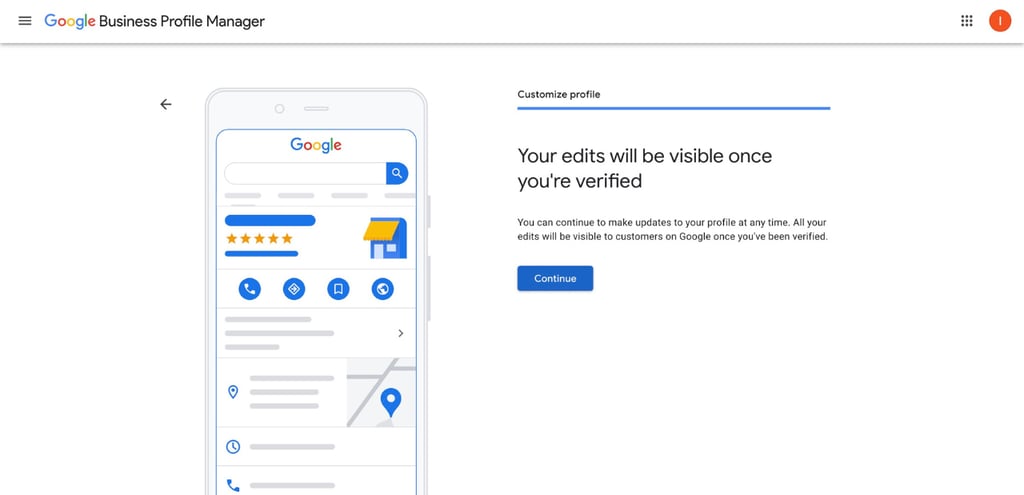
Now finally it will ask you if you want to use ads for your business for now click Skip and final window will appear click continue.
Step 8
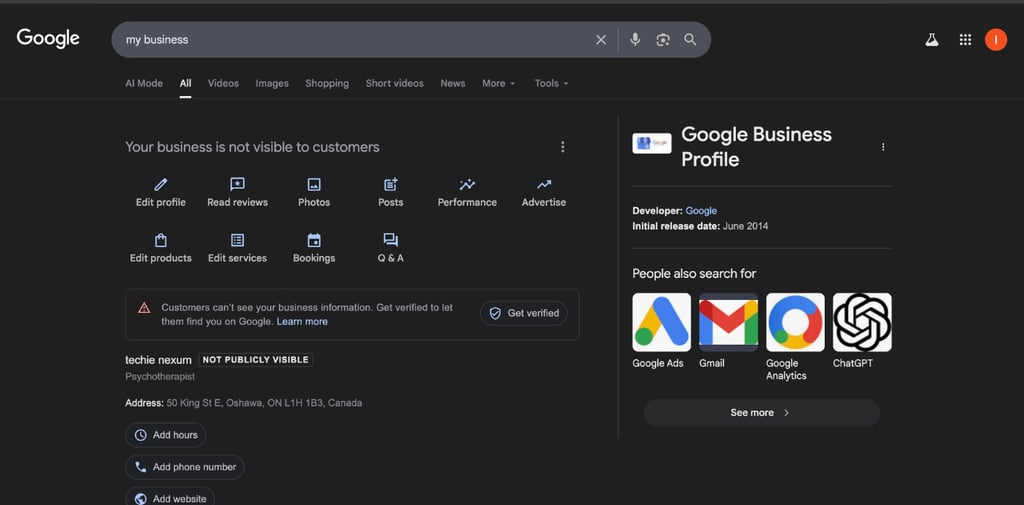
Congratulations now you have set up your google business profile succefully, here you can see this dash board where you can manage your profile.
When you click on edit profile you can see, you can edit all the settings we did before.
Common Google Business Profile Mistakes Therapists Make
Even therapists who mean well can run into issues with GBP because The platform wasn’t built with regulated healthcare professions in mind, so many problems happen simply because the rules aren’t always obvious. Below are some of the most common mistakes that you need to be careful for.
Using keyword-stuffed business names
Adding extra keywords like city names, services, or phrases such as “best therapist” to your business name may seem helpful, but it violates Google’s guidelines. This can lead to profile edits, suspensions, or loss of visibility. Your business name should match how it appears in real life nothing more
Choosing the wrong business category
The primary category tells Google what you actually do. Selecting an inaccurate category can make it harder for the right people to find you.
Showing a home address unintentionally
Therapists who work from home often don’t realize their full address is publicly visible. This can be a very big privacy concerns and personal safety issues. Google allows certain settings to hide your address, but they need to be configured correctly.
Using virtual or rented office addresses
Google expects the address on your profile to represent a real, client-facing location. This is one of the most common reasons profiles get taken down.
Ignoring the profile after initial setup
This one is most obvious one when, therapists never revisits and maintain their GBP after setup, it can limit its effectiveness. Outdated hours, missing services, or incomplete information can create confusion for potential clients and reduce trust. Even minimal, occasional updates help keep your profile accurate and visible.
What to Do After Your Google Business Profile Is Live
Once your GBP is set up and verified, you don't need to open it and manage like a social media account. For most therapists, you simply need to keep the information accurate, professional, and aligned with ethical guidelines.
Here are a few practical steps to focus on after your profile goes live.
Review your profile from a client’s perspective
Search for your practice on Google or Google Maps and look at your profile as if you were a client searching for therapist. Check your hours, location, services, and contact details are clear and accurate.
Keep core information up to date
Update your profile if your hours change, you move offices, or you adjust the services you offer. Google prioritizes accuracy, and keeping your information current helps your profile remain visible and trustworthy over time.
Add only appropriate, professional photos
Photos don’t need to be polished or promotional. Simple images of your office space, or waiting area help people feel oriented before reaching out. Avoid images that include clients or anything that could raise confidentiality concerns.
Check your profile periodically, not constantly
Google Business Profile doesn’t require daily attention. You can simply do a quick review every few weeks or when there is any change to your practice.
Final Thoughts
Setting up a Google Business Profile doesn’t have to feel like “marketing” in the traditional sense. When done thoughtfully, it’s simply a way to make accurate information about your practice easier for the right people to find.
If you prefer having a checklist or template to follow rather than figuring everything out on your own, I’ll be sharing simple, therapist-friendly resources here as the site grows. The focus will always be on clarity, ethics, and keeping things manageable.
Get our weekly newsletter:
Quick Links
© 2025 TechieNexum. All Rights Reserved.